Integrations
Connect Claude, ChatGPT and other AI agents
Connect LeadScout to Claude, ChatGPT or any MCP client so your AI agent can look up prospects, update statuses, add notes and book appointments for you.
LeadScout works with AI agents through the Model Context Protocol (MCP). Once connected, you can ask your agent things like "Where are we with 123 Main St?" or "Add a note to the Rivera house and book an inspection Thursday at 2pm", and it works with your real LeadScout data.
Every agent connects with the same address:
https://app.leadscoutapp.com/api/mcp
You can also copy it in LeadScout under Settings, then Integrations, on the AI agents card.

Before you start
- You need to be an owner or admin of a LeadScout organization on the Pro plan or higher.
- Your AI app needs to support custom connectors. Which plans include them is up to your AI provider.
- The agent acts as you, in the one organization you pick when you connect. You can disconnect it at any time.
Connect Claude
- In Claude, open Settings, then Connectors.
- Click Add custom connector.
- Name it LeadScout and paste
https://app.leadscoutapp.com/api/mcpas the server URL. Leave the OAuth fields empty. - Click Add, then Connect next to LeadScout.
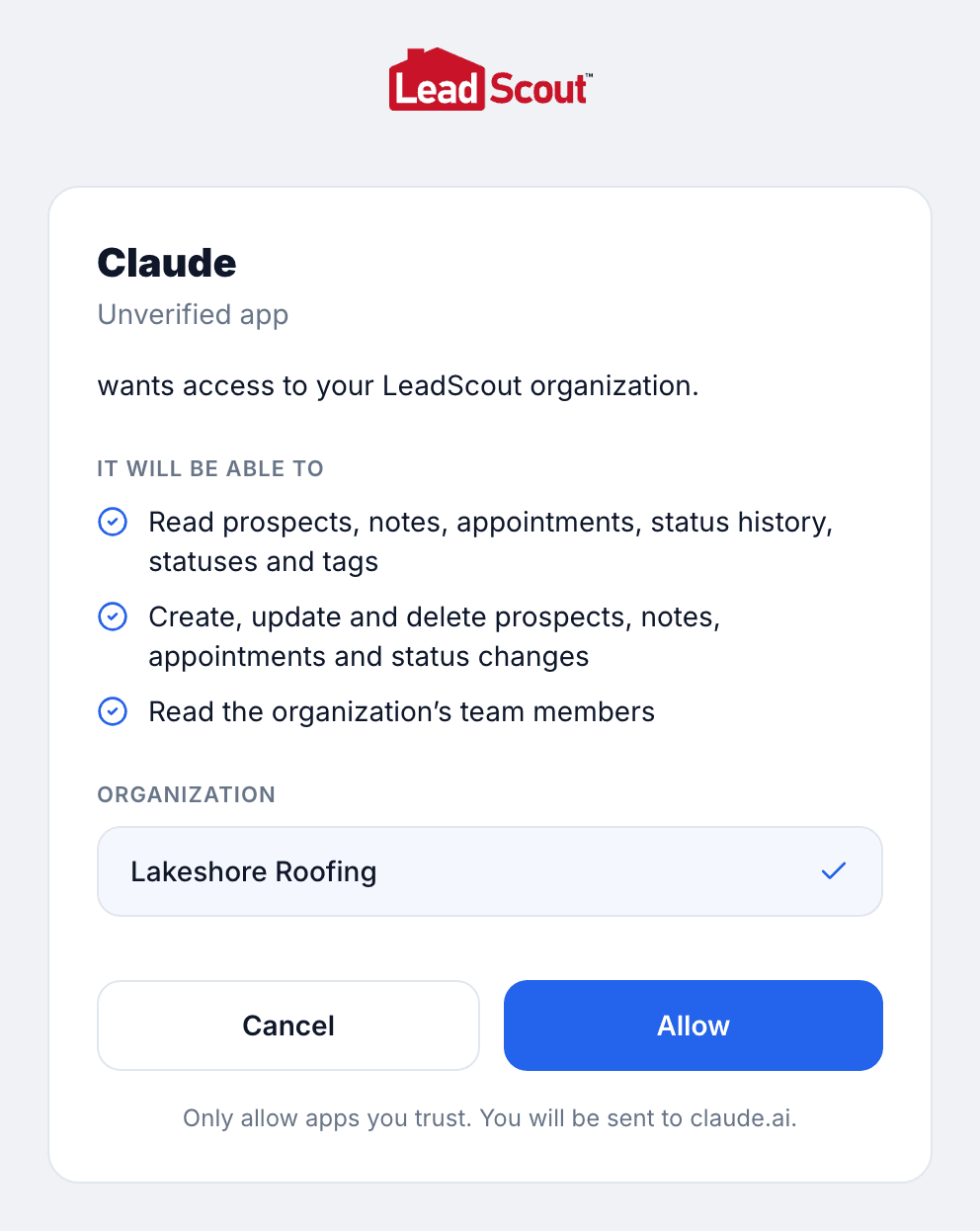
- A LeadScout window opens. Sign in if asked, pick your organization, and click Allow.
To use it in a chat, click + in the message box, open Connectors, and make sure LeadScout is on.
On a Claude Team or Enterprise plan, an admin first adds the connector under Admin settings, then Connectors. Each person then connects it for themselves.
Connect ChatGPT
ChatGPT lets you add your own connectors in developer mode. Which ChatGPT plans include it varies, and the menu names can differ slightly between plans.
- In ChatGPT, open Settings, then Apps & Connectors.
- Under Advanced settings, turn on Developer mode.
- Back in Apps & Connectors, click Create.
- Name it LeadScout and paste
https://app.leadscoutapp.com/api/mcpas the MCP server URL. - Choose OAuth for authentication and leave the client ID and secret empty.
- Confirm you trust the connector and click Create.
- A LeadScout window opens. Sign in if asked, pick your organization, and click Allow.
Other AI agents
Any agent that supports remote MCP servers with OAuth can connect with the same address. In Claude Code, run:
claude mcp add --transport http leadscout https://app.leadscoutapp.com/api/mcp
Then run /mcp inside Claude Code and choose LeadScout to sign in.
What your agent can do
- Find prospects. List and filter prospects by status or assignee, and read one in full.
- Update prospects. Create prospects, change contact details, tags and assignees, and move them to a new status.
- Notes and appointments. Read and add notes, see the status history, and book or cancel appointments.
- Your team and setup. Look up team members, statuses and tags.
- LeadScout help. Search these docs, so it can explain how a feature works.
Some things stay in the app. Agents can't look up property data, measure roofs, send texts or change settings, billing or your team.
Disconnect an agent
Remove the connector in your AI app, or cut off access from LeadScout:
- Open Settings, then Integrations, then LeadScout API.
- Under Connected apps, find the agent and click Revoke.
The agent loses access right away. If you connect it again later, you approve it again.
Questions
Why does LeadScout call my agent an "unverified app"?
Claude, ChatGPT and other MCP clients register themselves with LeadScout the first time you connect them, so LeadScout cannot confirm who made them. Check that the address on the approval screen belongs to the AI app you are using, then click Allow.
Can sales reps connect an AI agent?
Not yet. Connecting an agent gives it access to the whole organization, so for now only owners and admins can approve it.
Is my data used to train AI models?
LeadScout only sends your agent the data it asks for while you use it. How that data is handled after that is covered by your AI provider's own privacy terms and settings.
Does connecting an agent cost extra?
No. AI agents are included with Pro and higher plans. Your AI app may have its own subscription.
Updated October 7, 2026