Connect Claude, ChatGPT and Your Tools to LeadScout
LeadScout now works with Claude, ChatGPT and other AI agents. Paste one address into your AI app, approve access, and your agent can look up prospects, change statuses, add notes and book appointments in plain English. For everything else, the new LeadScout API and webhooks connect your prospects to your CRM and other tools.
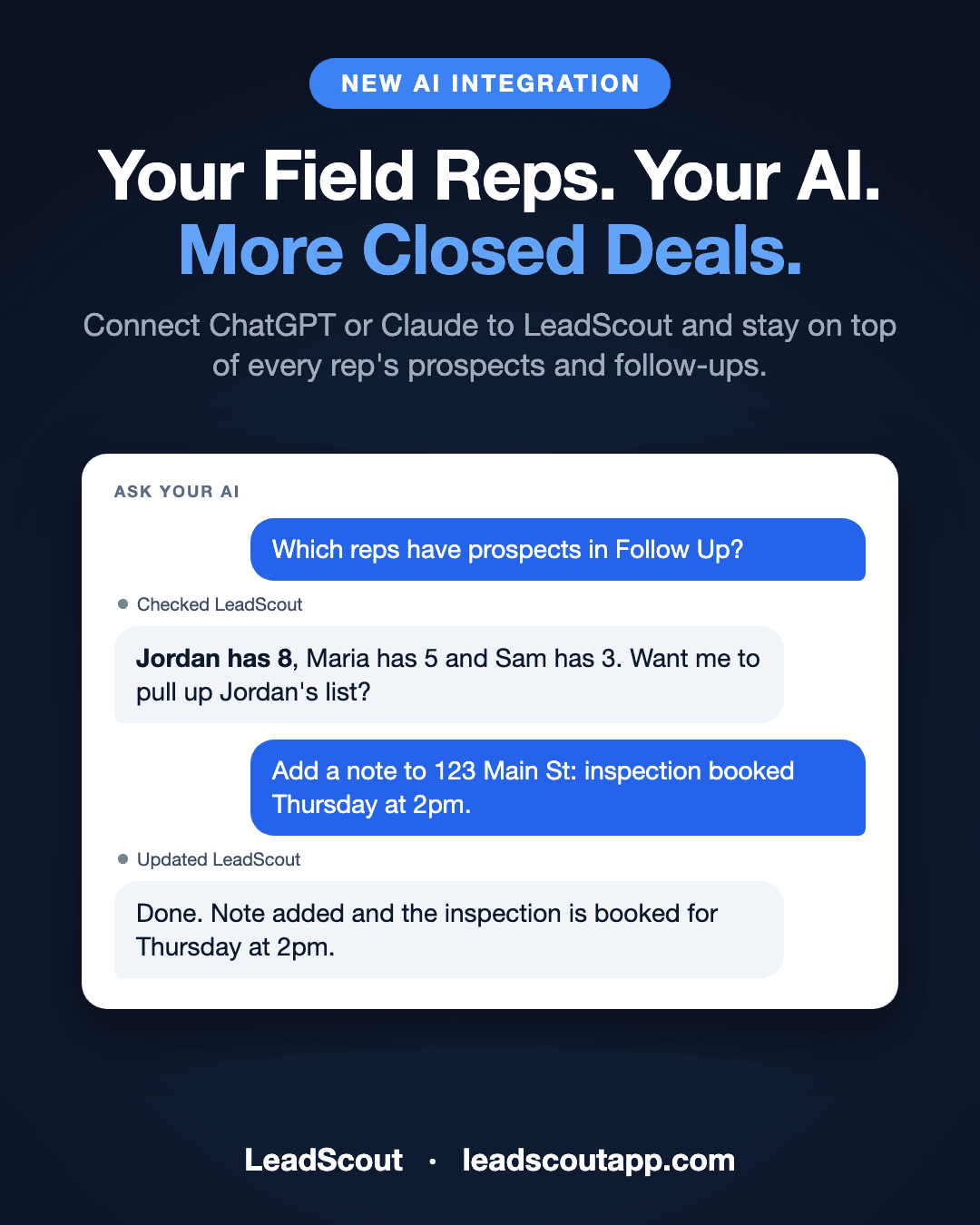
What's new
Today LeadScout opens up to the rest of your tools, starting with the one your team is already talking to:
- AI agents. Connect Claude, ChatGPT or any other AI agent to LeadScout and work your prospects in plain English.
- The LeadScout API. Sync prospects, notes, appointments and statuses with your CRM or your own software.
- Webhooks. Get notified the moment a prospect is created, changes status, or gets a note or an appointment.
All three are available now on the Pro plan and higher, at no extra cost.
Ask your AI about your prospects
Your pipeline lives in LeadScout. Your questions often start somewhere else: a chat with Claude while you plan tomorrow's route, or ChatGPT while you write the weekly recap. Now those conversations can see your real data.
Once LeadScout is connected, you can ask things like:
- "Where are we with 123 Main St?"
- "Add a note to the Rivera house and book an inspection Thursday at 2pm."
- "List every Interested lead assigned to Jordan."
- "Move the Patel house to Sold and reassign it to Maria."
- "How do I set up turbo mode?"
The agent looks up prospects, moves them to a new status, adds notes, books and cancels appointments, and checks your team, statuses and tags. It can also search the LeadScout help docs, so it can explain how a feature works while it helps.
Connect in under a minute
There is no app to install and no key to copy. Every AI agent connects with one address:
https://app.leadscoutapp.com/api/mcp

- Copy the address from Settings, then Integrations, on the AI agents card.
- In Claude, open Settings, then Connectors, and add it as a custom connector. In ChatGPT, add it under Apps & Connectors in developer mode.
- A LeadScout window opens. Pick your organization and click Allow.
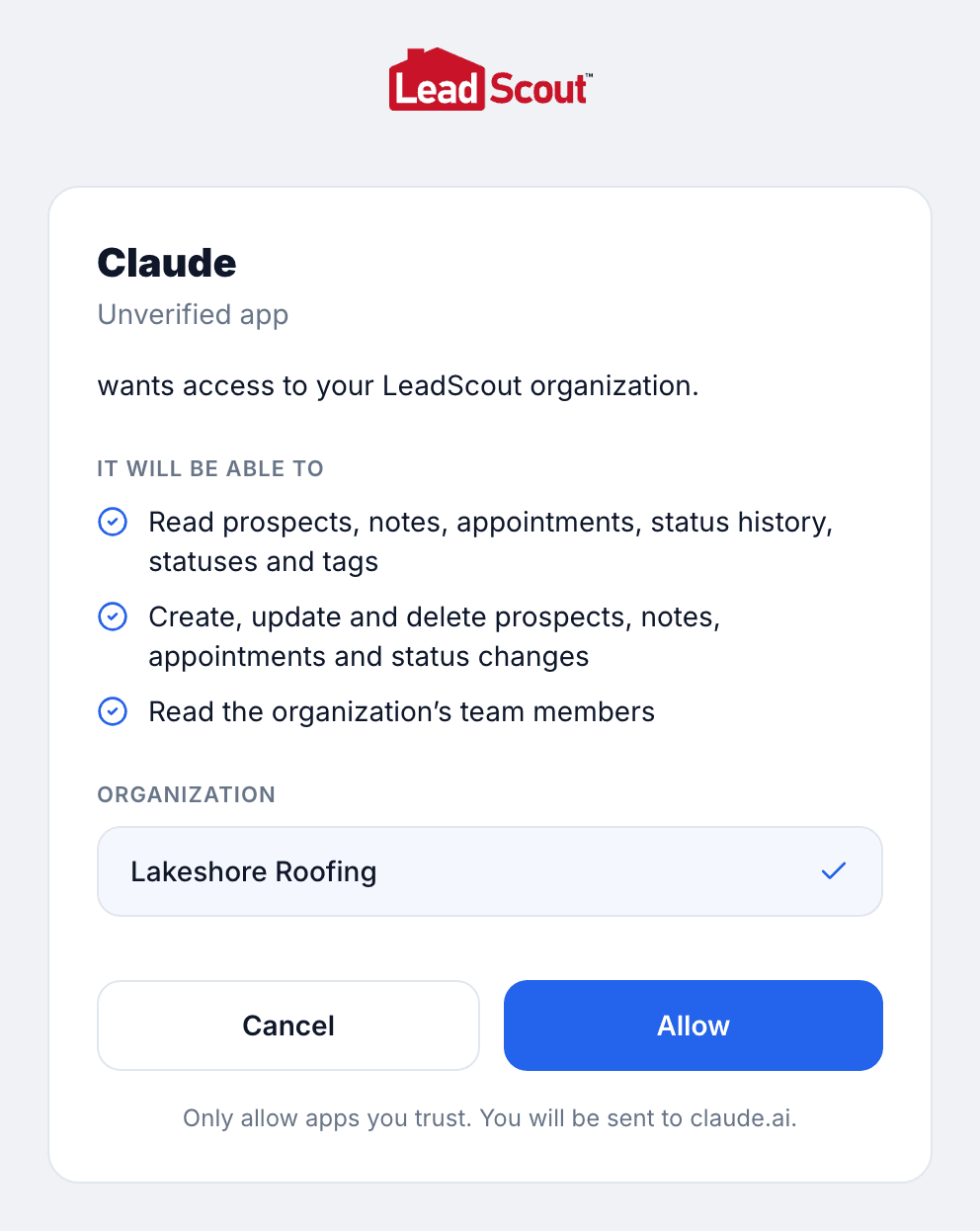
The agent acts as you, in the organization you picked, and every change it makes shows up under your name. Some things stay in the app on purpose: agents cannot look up property data, measure roofs, send texts, or touch settings, billing or your team. You can disconnect an agent from your AI app or from LeadScout settings at any time.
The full walkthrough for Claude, ChatGPT and Claude Code is in Connect Claude, ChatGPT and other AI agents.
The LeadScout API and webhooks
For integrations that run on their own, LeadScout now has a public API. Use it to:
- Send leads to your CRM as soon as a rep pins a home or marks one Interested.
- Push leads into LeadScout from your website, ad forms or a purchased list.
- Keep statuses in sync so the office sees what happened at the door without asking.
- React in real time with webhooks for new prospects, status changes, notes and appointments.
Connect with an API key for your own scripts, or let a partner app request access through a sign-in and approval screen, the same way the AI agents do. Everything you need is in the developer guide.
Built for field sales teams
LeadScout started as door-to-door sales software built around the map. That does not change. Reps still knock, pin and update statuses in the app. What changes is everyone around them: the owner who wants a quick answer, the office manager booking follow-ups, and the CRM that should already know about every new lead.
If you are still evaluating, see how LeadScout finds homeowners worth knocking with the live demo, or compare plans on our pricing page.
Frequently Asked Questions
Which AI apps can connect to LeadScout?▼
What can my AI agent do in LeadScout?▼
What can an AI agent not do?▼
Who can connect an AI agent?▼
Does it cost extra?▼
How do I disconnect an agent?▼
Is my data used to train AI models?▼
Ready to put it to work?
LeadScout gives your team an AI agent connection and an open API for every prospect on the map. Get started free today.
Start for Free